Quick Answer
Online booking software for a service business is a platform that gives customers a self-scheduling link to pick an open slot, pay a deposit, and receive automated reminders, all synced into the CRM calendar. Self-scheduling books 30 to 40% more appointments outside business hours, and reminders cut no-shows about 30%, making it the highest-ROI automation a service business can own.
Key Takeaways
- The best software is the one that lives inside your CRM, so the booking, deposit, reminders, and follow-up all run from the same contact and calendar record.
- Self-scheduling links book 30 to 40% more appointments, mostly outside business hours, because customers can book at 10pm without waiting for the office to open and call them back.
- Yes, when paired with automated reminders.
- Yes.
- Yes.
Definition
The best software is the one that lives inside your CRM, so the booking, deposit, reminders, and follow-up all run from the same contact and calendar record.
Online booking software for a service business is a platform that gives customers a self-scheduling link to pick an open slot, pay a deposit, and receive automated reminders, all synced into the CRM calendar. Self-scheduling books 30 to 40% more appointments outside business hours, and reminders cut no-shows about 30%, making it the highest-ROI automation a service business can own.
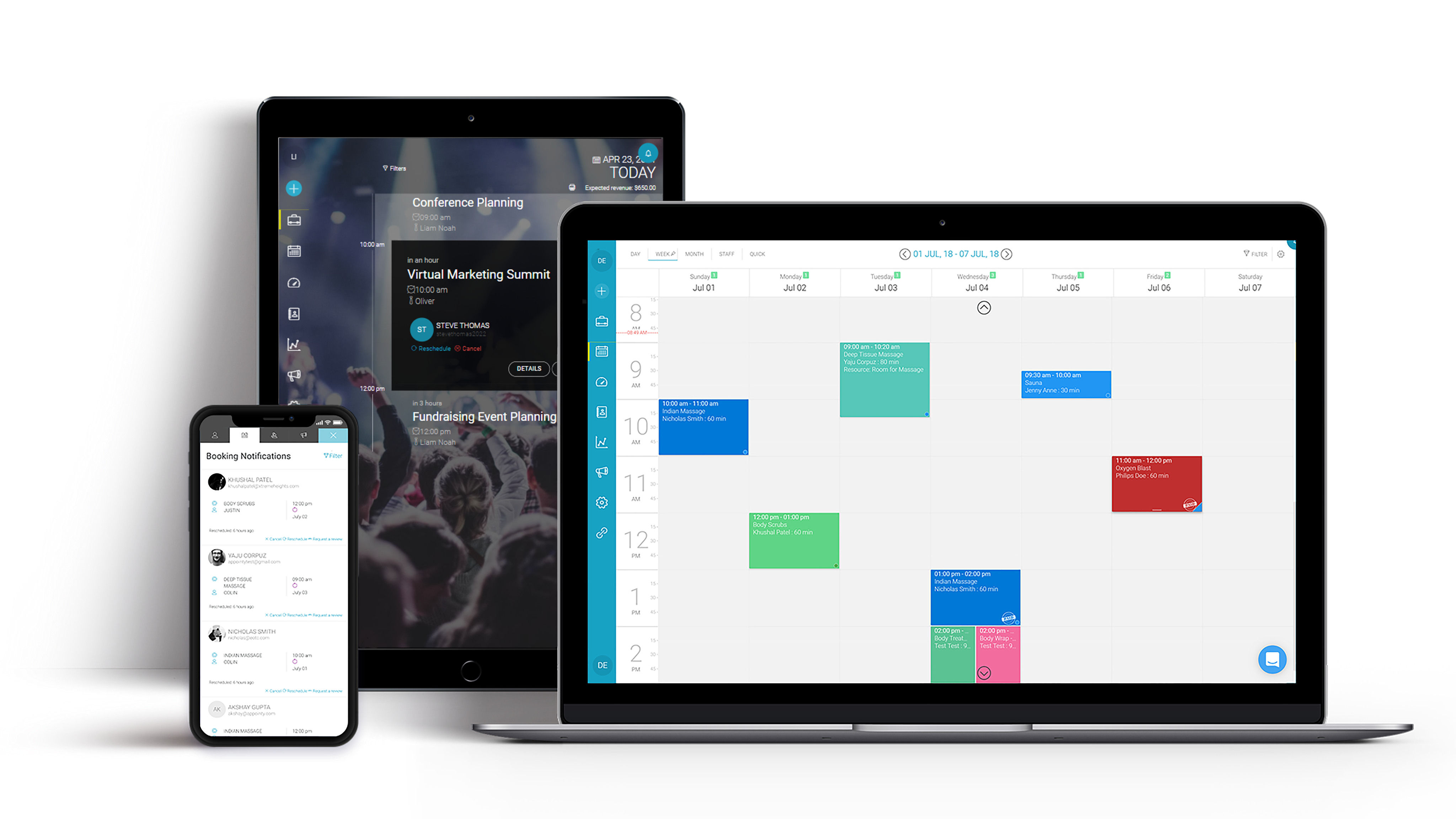
Self-scheduling is the highest-ROI automation you can own
A booking link lets a customer schedule at 10pm without waiting for the office to call back, which books 30 to 40% more appointments outside business hours. Paired with reminders, it also cuts no-shows about 30%, making it the single highest-ROI automation a service business can build.
The moment a lead has to wait until morning to book, a percentage of them call the next listing instead. A self-scheduling link removes that delay. The customer picks a slot, pays a deposit if required, and gets an instant confirmation, all while the office is closed. By morning, the appointment is already on the calendar. This is the same remove-the-friction principle behind our appointment scheduling and no-show guide: the booking should happen at the moment of intent, not after a phone-tag delay.
What CRM-integrated booking actually does
CRM-integrated booking ties the scheduling link, calendar, deposit, reminders, and follow-up to the same contact record, so the booking is never a separate event. The lead books, the CRM logs it, the reminder fires, and the post-visit follow-up queues automatically.
| Feature | Standalone scheduler | Integrated CRM booking |
|---|---|---|
| Self-scheduling link | Yes, but contact not synced | Yes, creates the contact and logs the booking |
| Deposit | Separate payment tool | Card hold or deposit at scheduling |
| Reminders | Add-on or manual | Automated text and email reminders |
| Calendar sync | One-way to Google Calendar | Two-way sync with the CRM calendar |
| Follow-up | None | Post-visit review and rebook queued automatically |
Reminders and deposits that kill no-shows
Reminders alone cut no-shows about 30%, and adding a deposit or card hold cuts them further because the customer has a financial stake in showing up. The combination of self-scheduling, reminder, and deposit is the no-show-reduction playbook that protects revenue.
- Send a text reminder 24 hours before and a second one 1 hour before the appointment.
- Include a one-tap confirm or reschedule link so changes happen before the slot, not after.
- Require a card hold or deposit at booking to give the customer skin in the game.
- Fire an automated rebooking prompt if the customer cancels, so the slot does not go empty.
- Log every booking, reminder, and no-show back to the contact record for follow-up.
Building the booking-to-reminder-to-follow-up flow is automation engineering, which is why an expert AI automation engineer wires the calendar, deposit, and reminder logic so the booking engine runs inside an account you own. Med spas and dental practices see the biggest no-show reduction because their appointments are elective and high-value; see the trade-specific builds in med spa no-show reduction and dental new patient automation.
Choosing booking software that fits a service business
Choose booking software that lives inside your CRM with self-scheduling, two-way calendar sync, deposits, and automated reminders, not a standalone scheduler that splits your data and leaves reminders and follow-up as manual work.
- 1Confirm the booking link creates a contact and logs the appointment in the CRM.
- 2Check two-way calendar sync so availability is always accurate.
- 3Verify deposit or card-hold collection at scheduling.
- 4Ensure automated text and email reminders with one-tap reschedule.
- 5Confirm post-visit review and rebook prompts fire automatically.
When you want booking wired into your CRM with the reminders and deposits built in, you can see it live on our book a free setup audit page, where the real calendar runs the same way it would in your account.
This is the core of the owned marketing engine model: every tool you currently rent, from the scheduler to the reminder engine to the calendar, gets rebuilt as one system you own outright for a single one-time build fee.
Key takeaways
- Self-scheduling links book 30–40% more appointments, mostly outside business hours.
- Reminders cut no-shows about 30%, and deposits cut them further.
- CRM-integrated booking ties scheduling, calendar, deposit, and follow-up to one record.
- Choose booking inside your CRM, not a standalone scheduler that splits your data.
- Inside an owned CRM, booking runs for about $48/month with the rest of the stack.

Criselle Julian— Project Manager
Criselle Julian is a Project Manager at Apehx Digital, leading CRM, automation, and data-ownership builds for US service businesses from scoping through launch.
See more of Criselle's workFrequently Asked Questions
What is the best online booking software for service businesses in 2026?
The best software is the one that lives inside your CRM, so the booking, deposit, reminders, and follow-up all run from the same contact and calendar record. Standalone schedulers like Calendly require a connector and split your data.
How much do online booking links increase appointments?
Self-scheduling links book 30 to 40% more appointments, mostly outside business hours, because customers can book at 10pm without waiting for the office to open and call them back.
Does online booking reduce no-shows?
Yes, when paired with automated reminders. Booking with text and email reminders cuts no-shows about 30%, and adding a deposit requirement cuts them further because the customer has skin in the game.
Can online booking collect deposits?
Yes. CRM-integrated booking can require a card hold or deposit at scheduling, which both reduces no-shows and secures revenue before the appointment.
Is online booking included in an owned CRM?
Yes. An all-in-one CRM includes online booking, calendar sync, reminders, and deposits for about $48/month, cheaper than a standalone scheduler plus a separate reminder and payment tool.
More from the blog
Related guides in the same topic cluster.