Quick Answer
A dental CRM fails not because the software is bad but because it ships as a blank canvas with no pipeline mapped to how a practice actually converts. The setup that works routes new-patient intake, missed-call text-back, appointment reminders, and re-care recalls into one owned system that fills the hygiene schedule automatically.
Key Takeaways
- Through bidirectional API webhooks or daily sync protocols, passing scheduled consults directly into Dentrix, Eaglesoft, or Curve Dental.
- Yes, when message content is restricted to booking confirmations and administrative links without transmitting protected health diagnostics.
- Under 30 minutes.
- The CRM ships as a blank canvas.
- Yes.
Definition
The CRM ships as a blank canvas.
A dental CRM fails not because the software is bad but because it ships as a blank canvas with no pipeline mapped to how a practice actually converts. The setup that works routes new-patient intake, missed-call text-back, appointment reminders, and re-care recalls into one owned system that fills the hygiene schedule automatically.
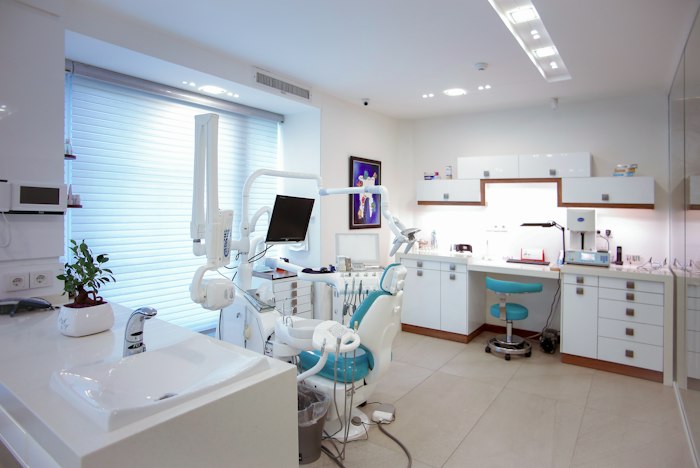
Why dental CRMs fail out of the box
Most dental practices buy a CRM with the best intentions, log in twice, and never touch it again. The pipeline stays empty, patients slip through the cracks, and the front desk is still juggling spreadsheets and missed calls — because the tool was never mapped to how a practice actually converts.
The problem is not the software. It is that a CRM out of the box is a blank canvas. Without a pipeline mapped to how a dental practice actually converts — new patient inquiry, eligibility check, consult booked, treatment plan, re-care — the tool adds friction instead of removing it. The American Dental Association emphasizes patient retention and recall as core drivers of practice health, yet most offices still run recall by hand (ADA).
The setup that turns it into a booking machine
A specialist build configures the CRM around the patient journey. New-patient web forms feed straight into a pipeline, missed calls trigger an instant text-back so the patient does not book with the next office, and reminders and re-care automations fill the schedule without a single manual call.
- New-patient intake routed and tagged automatically
- Missed-call text-back in under 90 seconds
- Automated appointment reminders and re-care recall
- HIPAA-conscious field handling and consent tracking
This is the same ownership-first model we use across every specialty — see our full dental clinic CRM and automation playbook. The difference between a $497 build that books and a $497 build that gathers dust is always the setup, not the software.
The patient journey the pipeline must mirror
A dental CRM only works when its pipeline stages match the real patient journey. Mapping inquiry, eligibility, consult, treatment, and re-care in order means every lead lands in the right stage automatically and no patient falls out between steps.
- 1New-patient inquiry captured from web forms and calls, tagged by source
- 2Eligibility and insurance check staged before the consult
- 3Consult booked automatically with reminders to cut no-shows
- 4Treatment plan follow-up nurtures unscheduled treatment
- 5Re-care recall fires on the cleaning cycle to refill the hygiene schedule
What that looks like in numbers
One SmileCare practice went from a handful of booked consults a week to a steady 3.8× increase in booked consults after a $497 CRM setup, because the system finally captured and followed up with leads the front desk could not get to.
The CRM did not change. The setup did. The front desk stopped being the bottleneck and the schedule started filling itself. For the full retainer-vs-ownership context behind builds like this, see why you should stop paying agency retainers, and when you want this mapped to your practice, book a free setup audit.
This is the core of the owned marketing engine model: every tool you currently rent, from the CRM to the automations to the booking calendar, gets rebuilt as one system you own outright for a single one-time build fee.
Key takeaways
- A dental CRM fails when it ships as a blank canvas with no mapped pipeline.
- The winning setup mirrors the real patient journey: inquiry, eligibility, consult, re-care.
- Missed-call text-back and re-care recall fill the schedule without manual calls.
- One SmileCare practice hit 3.8× booked consults from setup alone, not new ad spend.

Criselle Julian— Project Manager
Criselle Julian is a Project Manager at Apehx Digital, leading CRM, automation, and data-ownership builds for US service businesses from scoping through launch.
See more of Criselle's workFrequently Asked Questions
How does the CRM integrate with practice management software?
Through bidirectional API webhooks or daily sync protocols, passing scheduled consults directly into Dentrix, Eaglesoft, or Curve Dental.
Does automated SMS comply with HIPAA standards?
Yes, when message content is restricted to booking confirmations and administrative links without transmitting protected health diagnostics.
How much staff training is required?
Under 30 minutes. Staff simply view booked consults on the master calendar; the pipeline automates intake forms and follow-ups in the background.
What is the biggest reason dental CRMs go unused?
The CRM ships as a blank canvas. Without a pipeline mapped to new-patient inquiry, eligibility, consult, and re-care stages, it adds friction instead of removing it.
Can the system fill the hygiene schedule automatically?
Yes. Re-care recall automations message due-for-cleaning patients on a schedule and let them self-book, which fills hygiene openings without a single manual call.
More from the blog
Related guides in the same topic cluster.